How Website Speed Affects SEO
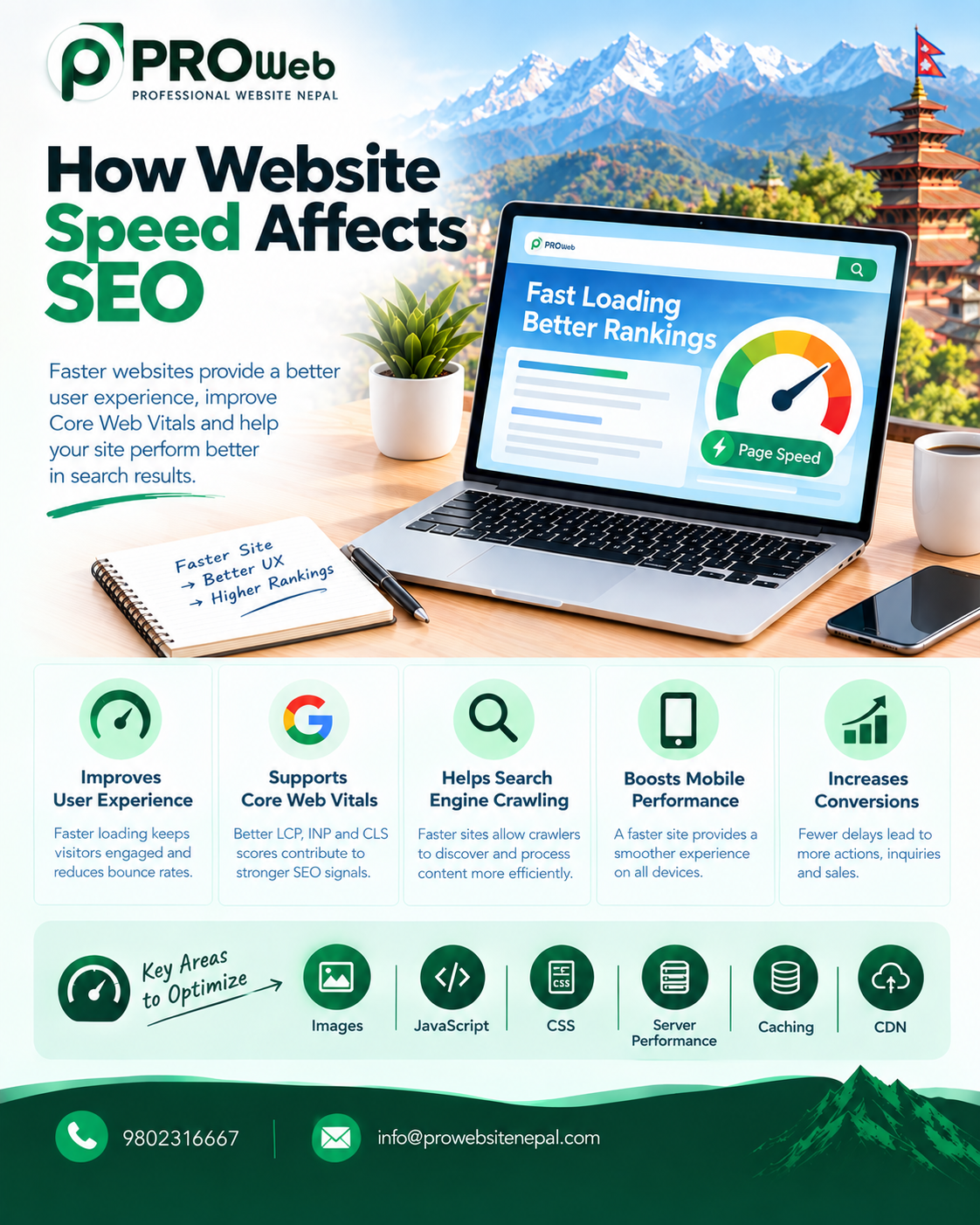
Website speed is an important part of modern website development and search engine optimization. A website that loads quickly gives visitors faster access to information, reduces friction during browsing, and creates a smoother overall experience.
For businesses, website speed is more than a technical performance issue. It can influence how users interact with a website, how effectively important pages perform, and how well the website meets Google's page-experience expectations.
Google's current guidance states that Core Web Vitals are used by its ranking systems, while also making clear that good Core Web Vitals scores alone do not guarantee high search rankings. Google evaluates page experience alongside many other signals and continues to prioritize relevant, useful content.
This makes website speed an important part of a broader SEO strategy rather than a standalone ranking trick.
What Is Website Speed?
Website speed refers to how quickly a website loads and becomes usable for visitors.
It includes several different aspects of performance, including:
How quickly the server responds
How quickly the main content appears
How quickly the page becomes interactive
How stable the page remains while loading
How efficiently images and other resources load
How efficiently JavaScript and CSS are processed
How quickly pages respond to user interactions
A website can technically load without errors while still feeling slow to users. Therefore, measuring performance requires looking beyond the total loading time of a page.
Why Website Speed Matters for SEO
Website speed matters to SEO because search engines consider aspects of page experience, and users are more likely to have a positive experience when websites are responsive and efficient.
Google's current page-experience documentation identifies Core Web Vitals as ranking signals and recommends maintaining good Core Web Vitals for both Search success and user experience.
However, speed should not be viewed as an isolated ranking factor.
A fast website with poor content may not perform well simply because it loads quickly. Similarly, a highly useful page does not automatically become successful because its performance score is perfect.
Effective SEO requires multiple elements to work together.
Website Speed and User Experience
The most immediate effect of slow website performance is often experienced by visitors.
When pages take longer to become usable, visitors may have to wait before they can:
Read content
Navigate to another page
Submit a form
View products
Contact a business
Interact with menus
Complete a purchase
Use an online service
A faster website reduces unnecessary waiting and allows visitors to interact with the content more efficiently.
For business websites, this matters because every additional interaction is part of the customer's journey.
Website Speed and Search Rankings
Website speed does not work as a simple rule where faster automatically means higher rankings.
Google explicitly states that there is no single page-experience signal and that its ranking systems consider multiple signals. It also states that good Core Web Vitals results do not guarantee that a page will rank at the top of Search.
This distinction is important.
The goal of improving website speed should be to create a technically strong, efficient, and user-friendly website rather than attempting to manipulate rankings through a single performance metric.
A strong SEO strategy combines:
Relevant content
Helpful information
Good website architecture
Crawlability
Indexability
Mobile usability
Technical SEO
Performance
Security
Internal linking
Strong user experience
Understanding Core Web Vitals
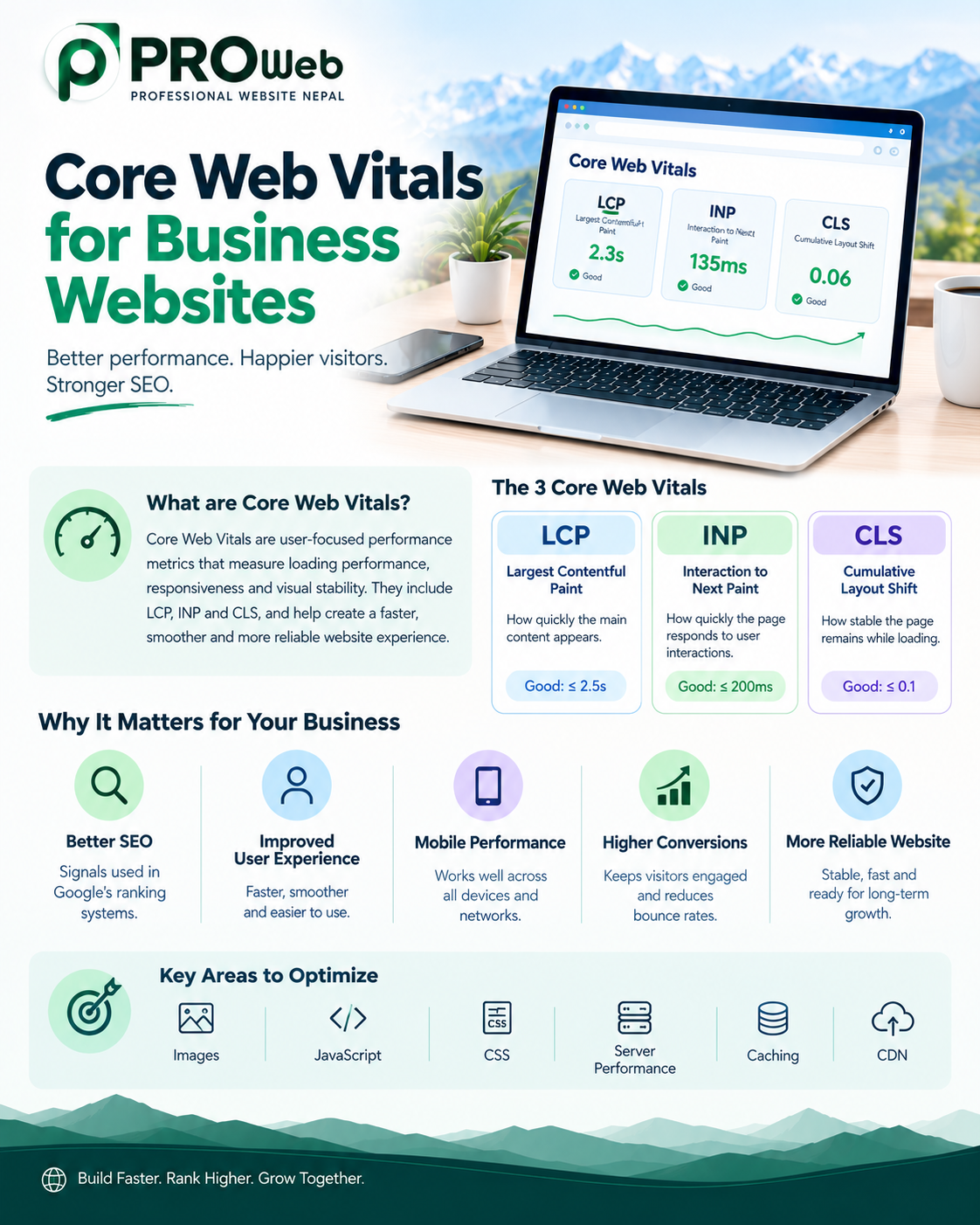
Core Web Vitals are Google's set of user-focused performance metrics.
The current Core Web Vitals include:
Largest Contentful Paint
Largest Contentful Paint, or LCP, measures loading performance by looking at when the main content becomes visible.
A strong LCP indicates that visitors can access the primary content without unnecessary delay.
Improving LCP can involve optimizing:
Images
Fonts
Server response
CSS
JavaScript
Render-blocking resources
Page structure
Interaction to Next Paint
Interaction to Next Paint, or INP, measures how responsive a page is to user interactions.
A page may appear loaded but still feel slow if buttons, menus, forms, or other interactive elements take too long to respond.
Improving INP often requires reducing unnecessary JavaScript work and improving how the browser handles interactions.
Cumulative Layout Shift
Cumulative Layout Shift, or CLS, measures unexpected movement of content during page loading.
A stable layout helps visitors interact with the page without elements unexpectedly moving.
CLS can be affected by:
Images without appropriate dimensions
Dynamically inserted content
Changing advertisements
Web fonts
Unstable page components
Google's documentation confirms that Core Web Vitals are part of its ranking systems, while also emphasizing that they are only one part of overall page experience.
How Slow Websites Affect Visitors
Slow performance can create friction throughout the visitor journey.
A visitor who has to wait repeatedly may become less likely to continue browsing.
This can affect:
Page engagement
Navigation
Form completion
Product exploration
Lead generation
Ecommerce activity
Return visits
The effect can be especially important for businesses because website visitors often arrive with a specific goal.
They may want to learn about a service, compare products, request information, make a booking, or contact the company.
If the website makes that process unnecessarily difficult, the business can lose valuable opportunities.
Mobile Website Speed
Mobile performance is particularly important because many visitors access business websites from smartphones.
Mobile devices can operate under different network conditions, hardware capabilities, and screen sizes.
A website that performs well on a powerful desktop computer may not provide the same experience on a mobile device.
Technical SEO should therefore consider:
Mobile page loading
Responsive design
Image size
JavaScript execution
Touch interactions
Navigation
Font loading
Server response
Content stability
Google's page-experience guidance specifically recommends checking whether content displays well on mobile devices.
Website Speed and Crawling
Website performance can also matter from a technical perspective when search engines crawl websites.
Google uses automated crawlers to discover and process web content. Its crawling documentation explains that Googlebot crawls websites to find relevant content for Google Search.
For large websites, inefficient technical architecture can make crawling more complicated.
Businesses with extensive websites should pay attention to:
Server response times
URL architecture
Duplicate URLs
Crawlable navigation
Unnecessary resources
Server errors
Redirect chains
Website scalability
Speed optimization should therefore be considered alongside crawlability and technical architecture.
Server Response Time
The server is one of the first parts of the website involved when a visitor requests a page.
If the server takes too long to respond, everything that follows can be delayed.
Server performance can depend on:
Hosting infrastructure
Server resources
Database performance
Application architecture
Database queries
Caching
Traffic levels
Third-party services
Server configuration
For custom websites, efficient backend development can play an important role in reducing unnecessary server processing.
Image Optimization
Images are one of the most common sources of unnecessary page weight.
Large or poorly optimized images can increase the amount of data that visitors need to download.
Image optimization should consider:
Appropriate dimensions
Compression
Modern image formats
Responsive image delivery
Lazy loading where appropriate
Proper image handling
Avoiding unnecessary decorative assets
The objective is not simply to make every image as small as possible.
The goal is to provide the required visual quality while minimizing unnecessary data.
JavaScript and Website Performance
JavaScript can provide powerful functionality, but excessive JavaScript can increase the amount of work required by the browser.
Large JavaScript bundles can affect:
Initial page loading
Interactivity
Main-thread activity
Mobile performance
INP
Overall responsiveness
Developers should review whether every script is necessary and whether scripts can be optimized, deferred, split, or removed.
Third-party JavaScript should also be monitored because external services can introduce additional performance costs.
CSS and Website Speed
CSS controls the visual presentation of a website, but inefficient CSS can also contribute to performance problems.
A technically optimized website should review:
Unused CSS
Large stylesheets
Render-blocking resources
CSS delivery
Duplicate styles
Excessive framework dependencies
Clean frontend development can reduce unnecessary resources and help browsers render pages more efficiently.
Fonts and Performance
Custom fonts can improve the visual identity of a business website, but excessive font files and inefficient loading can affect performance.
Businesses should consider:
Number of font families
Number of font weights
Font file sizes
Loading strategies
Fallback fonts
Unnecessary font variations
Typography should support the design without creating unnecessary technical overhead.
Website Hosting and Speed
Hosting infrastructure can influence website performance.
Important hosting considerations include:
Server resources
Server location
Network quality
Storage performance
Caching
Scalability
Database performance
Server configuration
Traffic capacity
Choosing hosting solely because it is inexpensive can create performance limitations later as website traffic and functionality increase.
For businesses expecting growth, hosting should be selected according to actual technical requirements.
Caching and Website Performance
Caching can reduce the amount of work required to generate and deliver pages repeatedly.
Depending on the website architecture, caching can be applied to:
Pages
Database queries
API responses
Static resources
Images
Server-side content
Effective caching can improve response times and reduce unnecessary server processing.
Caching strategies should be designed according to the application's architecture and content update requirements.
Content Delivery Networks
A Content Delivery Network, or CDN, can distribute static website resources through geographically distributed servers.
CDNs can help improve the delivery of:
Images
CSS
JavaScript
Fonts
Other static assets
For businesses serving visitors across multiple geographic regions, a CDN can contribute to more consistent resource delivery.
However, a CDN is not a replacement for efficient website development. Poorly optimized code, large images, excessive JavaScript, and slow backend processing can still create performance problems.
Website Speed and SEO-Friendly Design
SEO-friendly design should balance appearance with performance.
A visually impressive website can still perform poorly if it contains excessive animations, oversized media, unnecessary scripts, or inefficient page structures.
Modern website design should therefore consider:
Visual quality
Performance
Accessibility
Mobile usability
Navigation
Content hierarchy
Technical SEO
The goal is to create a website that looks professional while remaining efficient.
Website Speed and Ecommerce SEO
Website performance can be particularly important for ecommerce websites.
Ecommerce websites often contain:
Product images
Product variations
Filters
Search functionality
Shopping carts
Customer accounts
Payment systems
Third-party integrations
Each additional system can contribute to website complexity.
Performance optimization for ecommerce websites should therefore consider the entire customer journey, from product discovery through checkout.
Website Speed and Conversion Opportunities
SEO brings visitors to a website, but the website must then provide a useful experience.
A slow website can introduce friction between search visibility and business results.
For a business website, important actions may include:
Contacting the company
Requesting a quotation
Calling a business
Submitting an inquiry
Booking a service
Purchasing a product
Registering for an account
Improving performance can make these interactions more efficient.
This does not mean that speed alone determines conversion rates. Conversion performance depends on many factors, including pricing, trust, design, content, usability, offers, and the visitor's intent.
Website Speed and Bounce Behavior
Website speed can influence how visitors interact with a page.
When a page takes too long to become useful, visitors may leave before engaging with the content.
However, visitor behavior should not be interpreted through speed alone.
A visitor may leave because:
The content did not answer their question
The page was not relevant
The product was unsuitable
The service did not meet their needs
The visitor found the required information quickly
The visitor completed their intended action
Therefore, businesses should evaluate performance alongside analytics and user behavior rather than assuming that every exit is caused by slow loading.
Common Causes of Slow Websites
Business websites can become slow for many different reasons.
Common causes include:
Large images
Excessive JavaScript
Too many third-party scripts
Poor hosting
Slow database queries
Lack of caching
Unoptimized CSS
Excessive animations
Large font files
Inefficient plugins
Poorly optimized APIs
Unnecessary website features
Poorly configured servers
Excessive redirects
The correct solution depends on the actual cause.
Simply installing a performance plugin or changing hosting may not solve the underlying problem.
How to Improve Website Speed
A structured optimization process is more effective than making random changes.
1. Measure Performance
Begin by measuring the website's actual performance.
Review:
Core Web Vitals
Mobile performance
Desktop performance
Server response
Resource sizes
JavaScript activity
Image sizes
Browser behavior
2. Identify the Biggest Problems
Focus on issues that create meaningful performance improvements.
Large images, excessive scripts, slow servers, and inefficient backend processing may have greater impact than minor optimizations.
3. Optimize Images
Reduce unnecessary image weight while maintaining appropriate visual quality.
4. Reduce Unnecessary JavaScript
Remove scripts that do not provide meaningful value and optimize those that are necessary.
5. Improve Server Performance
Review hosting, database queries, caching, server configuration, and backend processing.
6. Optimize CSS
Reduce unnecessary styles and improve how critical resources are delivered.
7. Improve Caching
Use suitable caching strategies to reduce repeated processing and resource delivery.
8. Review Third-Party Services
Identify external scripts and services that increase page weight or processing time.
9. Test on Mobile
Measure performance on mobile devices and networks rather than relying only on desktop testing.
10. Continue Monitoring
Website performance can change when new content, plugins, scripts, features, or integrations are introduced.
Performance should therefore be monitored continuously.
Tools for Measuring Website Speed
Businesses can use several tools to evaluate website performance.
Useful tools include:
Google PageSpeed Insights
Google Search Console
Chrome DevTools
Lighthouse
Chrome User Experience Report
Web performance monitoring platforms
These tools can reveal different aspects of performance.
Google recommends using performance reports and tools to measure, monitor, and improve page experience.
Why a Perfect Performance Score Is Not the Goal
A common mistake is treating a performance score as the final objective.
A website does not need to achieve a perfect score to provide a good experience.
Google explicitly states that good Core Web Vitals results do not guarantee top rankings and that website owners should focus on overall page experience rather than trying to achieve a perfect score solely for SEO.
The better objective is to build a website that is:
Fast
Stable
Responsive
Accessible
Secure
Useful
Mobile-friendly
Technically sound
Performance metrics should help identify problems rather than become the only measure of website quality.
Website Speed for Businesses in Nepal
For businesses in Nepal, website performance should be considered during development rather than after the website is launched.
Businesses may serve visitors using different devices, network conditions, and geographic locations.
A website intended for Nepali audiences should therefore be tested under realistic conditions.
Important considerations include:
Mobile performance
Image optimization
Efficient hosting
Server response
Caching
Lightweight frontend development
Efficient backend architecture
CDN usage where appropriate
Mobile navigation
Performance monitoring
A website designed around actual visitor conditions can provide a more consistent experience.
WordPress and Website Speed
WordPress can be used to build fast websites, but performance depends heavily on implementation.
Factors that can affect WordPress performance include:
Theme quality
Plugins
Hosting
Image optimization
Database size
JavaScript
CSS
Caching
Third-party services
Website configuration
Installing too many plugins or using poorly optimized themes can increase unnecessary website overhead.
WordPress performance should therefore be managed through careful development and ongoing maintenance.
Custom Website Development and Speed
Custom development can provide greater control over website architecture and performance.
Developers can optimize:
Frontend resources
Backend processing
Database queries
API requests
Caching
Server-side rendering
Image delivery
Application architecture
However, custom development does not automatically mean better performance.
A poorly developed custom website can still be slow.
Performance depends on how efficiently the system is designed, developed, hosted, and maintained.
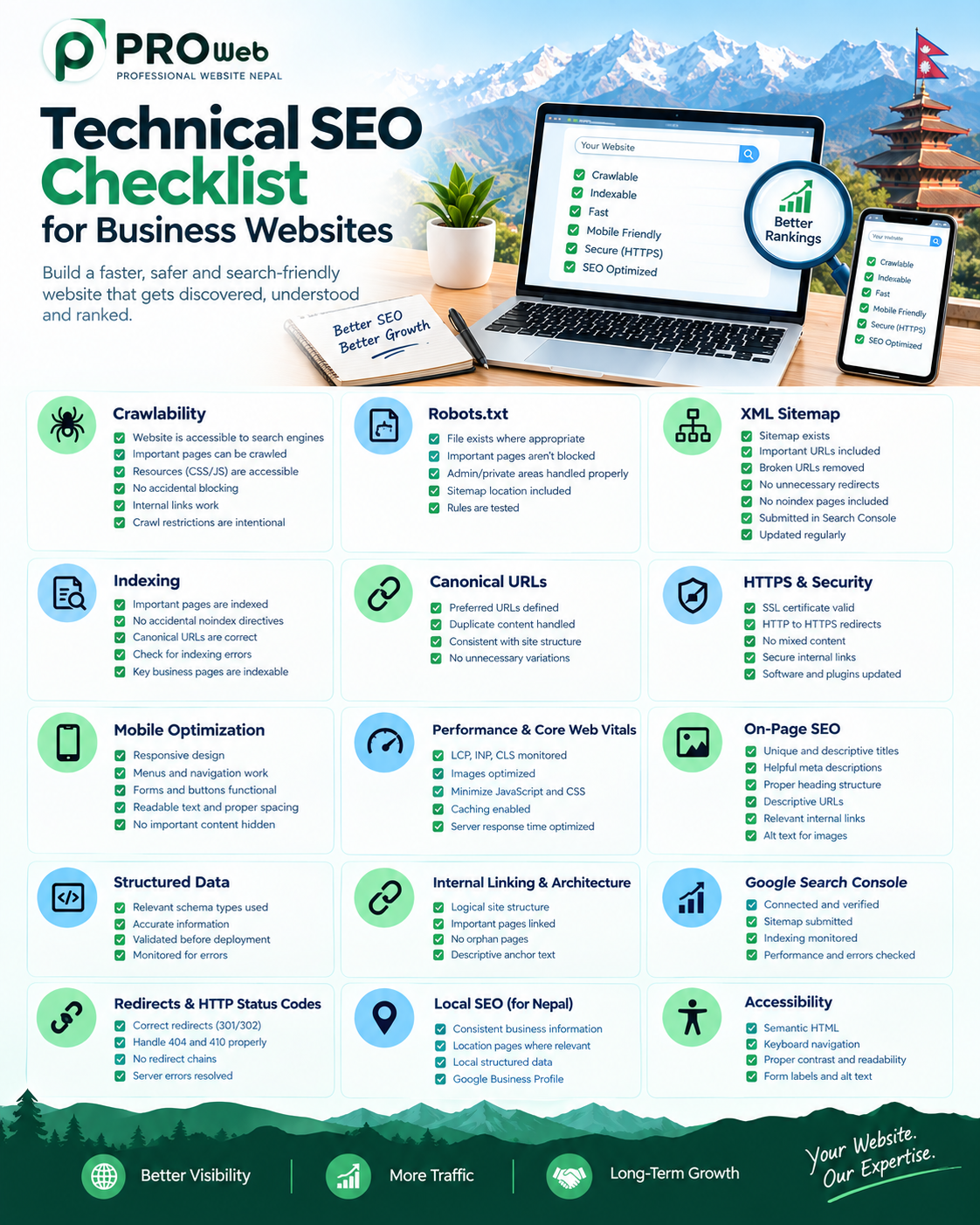
Website Speed and Technical SEO
Speed is one component of a much larger technical SEO system.
A technically strong business website should combine performance with:
Crawlability
Indexability
Mobile responsiveness
HTTPS
XML sitemap
Robots.txt
Canonical URLs
Internal linking
Structured data
Clean URL architecture
Correct redirects
Error handling
Accessible content
A fast website with technical indexing problems can still struggle to perform effectively in search.
Website Speed and Content Quality
Speed should never replace useful content.
A website needs both technical quality and valuable information.
Visitors and search engines need to understand:
What the business does
What services are available
Who the services are for
Why the business is relevant
How the business can help
How visitors can take the next step
Performance helps visitors access this information efficiently, while useful content gives them a reason to stay.
The strongest SEO strategy combines both.
How Website Speed Fits Into a Complete SEO Strategy
A complete SEO strategy can be viewed as a connected system:
Technical Foundation → Performance → Content → Search Visibility → User Experience → Business Results
Each component supports the others.
Technical SEO makes content accessible.
Performance makes that content easier to consume.
Useful content satisfies search intent.
Strong user experience helps visitors navigate the website.
Together, these elements create a stronger foundation for sustainable search performance.
Professional Website Nepal's Approach
At Professional Website Nepal, website performance can be considered from the beginning of the development process.
Our approach focuses on:
Clean website architecture
Lightweight development
Responsive design
Performance optimization
SEO-friendly structure
Optimized assets
Mobile performance
Efficient backend development
Secure implementation
Scalable architecture
Technical SEO
Post-launch support
The objective is not simply to make a website look attractive.
The objective is to create a website that loads efficiently, works smoothly, provides useful information, and gives businesses a strong technical foundation for long-term digital growth.
Website Speed Optimization Checklist
Before launching a business website, review:
Performance
Images are optimized
CSS is optimized
JavaScript is controlled
Fonts are optimized
Third-party scripts are reviewed
Server response is efficient
Caching is configured
Unnecessary resources are removed
Core Web Vitals
LCP is monitored
INP is monitored
CLS is monitored
Mobile performance is tested
Real-user performance is monitored where available
Technical SEO
Website is crawlable
Important pages are indexable
XML sitemap is available
Robots.txt is correctly configured
Canonical URLs are correct
Internal links work
Redirects are properly configured
HTTPS is enabled
Mobile
Website is responsive
Navigation works correctly
Content is readable
Interactive elements respond properly
Images are optimized for mobile
Page layout remains stable
Ongoing Monitoring
Performance is monitored after launch
Search Console is reviewed
New website features are tested
Large media files are optimized
Third-party scripts are reviewed
Hosting performance is monitored
Common Website Speed Mistakes
Businesses often make performance problems worse by focusing on appearance without considering technical efficiency.
Common mistakes include:
Using Oversized Images
High-resolution images are uploaded without optimization.
Adding Too Many Plugins
Additional plugins can introduce unnecessary scripts, database queries, and functionality.
Using Excessive Animations
Animations can increase browser workload and affect responsiveness.
Loading Unnecessary Scripts
Third-party tools may remain active even when they provide little value.
Ignoring Mobile Performance
Desktop performance is checked while smartphone performance is neglected.
Choosing Hosting Only by Price
Low-cost infrastructure may not provide sufficient resources for a growing website.
Focusing Only on Performance Scores
A perfect score is pursued while content quality, accessibility, and usability are neglected.
Optimizing Only After Launch
Performance problems are discovered after the website has already been built instead of being considered during development.
Final Thoughts
Website speed is an important part of modern SEO, but it should be understood as part of a broader website-quality strategy.
Google's current documentation confirms that Core Web Vitals are used by its ranking systems, while also emphasizing that rankings depend on many signals and that good performance scores do not guarantee top positions.
The most effective approach is therefore not to chase a single score.
Instead, businesses should build websites that are:
Fast → Responsive → Stable → Mobile-Friendly → Secure → Useful → Search-Friendly
When performance, technical SEO, content, design, and user experience work together, a business website becomes better prepared to serve visitors and compete in search.
For businesses in Nepal, investing in website performance during the development stage can also reduce the need for expensive technical corrections later.
A fast website is not simply a technical advantage. It is part of creating a better digital experience for customers and building a stronger foundation for long-term online growth.
Frequently Asked Questions
Does website speed affect SEO?
Yes. Google uses Core Web Vitals within its ranking systems, making performance an important part of page experience. However, speed is only one part of SEO and does not guarantee higher rankings.
Is website speed a direct ranking factor?
Core Web Vitals are used by Google's ranking systems. However, Google does not treat website speed as a simple standalone ranking formula, and good Core Web Vitals scores do not guarantee top search positions.
What are Core Web Vitals?
Core Web Vitals are performance metrics focused on loading performance, responsiveness, and visual stability. The current metrics are LCP, INP, and CLS.
Is mobile speed important for SEO?
Yes. Mobile presentation and performance are important parts of overall page experience, and websites should be tested across mobile devices and conditions.
Does a faster website always rank higher?
No. Search rankings depend on many factors, including relevance, content quality, technical accessibility, authority, competition, and page experience.
How can I improve website speed?
Common improvements include optimizing images, reducing unnecessary JavaScript, improving server response, optimizing CSS, using appropriate caching, reducing third-party resources, and improving overall website architecture.
Is WordPress capable of being fast?
Yes. WordPress websites can perform well when they use efficient themes, appropriate plugins, optimized media, suitable hosting, caching, and proper development practices.
Should I focus on getting a perfect PageSpeed score?
No. Google specifically advises against treating a perfect Core Web Vitals or performance score as the sole objective. The broader goal should be providing a good experience for users while maintaining technically sound pages.